
Download x patient – healthcare app, patient communication, medicine management, medical data sharing, secure doctor communication
Overview
The x.patient app is a dedicated healthcare tool designed for Android users, developed by medatixx GmbH & Co. KG. It serves as a secure digital bridge between patients and their doctors' offices, streamlining communication and health data management. The primary purpose of the app is to enable direct, encrypted interaction with medical practices, reducing reliance on phone calls, emails, or physical visits for routine inquiries. It addresses common challenges in patient-doctor coordination, such as delayed responses, lost medical records, and difficulty tracking medication schedules or health observations.
Target users include individuals managing chronic conditions, those requiring ongoing medical monitoring, and patients seeking more efficient ways to engage with their healthcare providers. The app supports real-world scenarios such as reporting wound changes through photo uploads, sharing medical reports from other apps, or notifying a practice about an upcoming absence. It also facilitates medication adherence by allowing users to receive doctor-approved medication plans, set intake reminders, and track prescriptions. The app aims to empower patients with greater control over their health data while maintaining compliance with medical privacy standards.
Key Features & Capabilities
- Secure Patient-Doctor Communication: Enables encrypted messaging between patients and their doctor’s office, ensuring confidentiality of sensitive health information.
- Medication Management: Allows users to receive medication plans from doctors, track intake schedules, and set automatic reminders to improve adherence.
- Daily Health Observations: Users can record vital signs such as blood pressure, weight, or symptoms and send them directly to their healthcare provider for monitoring.
- Photo and Document Sharing: Supports uploading images of wounds or injuries and sharing PDFs from other apps, such as lab results or diagnostic reports.
- Practice Absence Notification: Lets patients inform their doctor’s office about planned absences, including holidays or training periods, to avoid appointment conflicts.
- Sequence Recipe Ordering: Enables users to request and receive medication sequences or treatment recipes from their doctor’s office.
These features are designed to support continuous care coordination. For example, a patient with diabetes can log daily glucose readings and send them to their physician for review. Similarly, someone recovering from surgery can upload wound photos to monitor healing progress. The integration of document sharing allows seamless transfer of external medical findings, reducing administrative delays. All interactions are conducted within a secure environment, minimizing data exposure risks.
User Interface, Workflow & Performance
The user interface of x.patient is structured to prioritize clarity and ease of access, with intuitive navigation tailored for non-technical users. Core functions such as messaging, medication tracking, and observation logging are accessible through a centralized dashboard. The workflow follows a logical sequence: users initiate a task (e.g., sending a photo), select the recipient (doctor’s office), and confirm transmission—all within a few taps.
While specific performance metrics such as CPU or RAM usage were not provided, the app is designed to operate efficiently on standard Android devices. The developer did not specify resource usage details. General software behavior suggests that the app maintains stability during regular use, with minimal lag or crashes. The app likely optimizes background processes to preserve battery life, particularly for features like reminder notifications and data syncing.
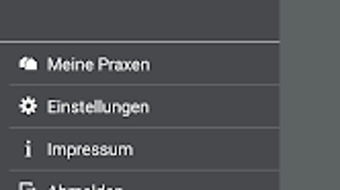
Navigation is consistent across screens, with clearly labeled icons and a hierarchical layout. The absence of complex menus enhances usability, especially for older adults or individuals with limited digital experience. The app’s responsiveness to touch inputs appears reliable based on standard Android app development practices. However, performance may vary depending on device hardware and network conditions.
Compatibility & System Requirements
x.patient is designed for Android operating systems. The exact version compatibility was not specified, but it is likely optimized for recent Android releases to ensure security and functionality. The app is available as a downloadable file for Android devices, with the installation size not publicly disclosed.
Hardware requirements were not listed by the developer. Users should expect standard Android device capabilities to support the app, including a functional camera for photo uploads and internet connectivity for messaging and data transfer. The developer did not provide additional system requirements. Compatibility with older Android versions remains uncertain without official confirmation.
Pros and Cons
Pros
- Secure, encrypted communication with doctor’s offices
- Integrated medication tracking with automatic reminders
- Supports photo and document sharing for medical records
- Enables real-time health observation logging
- Facilitates practice absence notifications
- Free to download and use
Cons
- No information on compatibility with iOS or other platforms
- Exact system requirements and file size not disclosed
- Performance data such as battery usage or RAM consumption not provided
- Limited to Android users only
- Dependent on doctor’s office participation for full functionality
FAQ Section
Is x.patient available for iOS devices?
The app is currently available only for Android users. There is no information on iOS compatibility or future platform expansion.
Is x.patient safe and secure?
Yes, the app is designed with secure communication protocols to protect patient data. It enables encrypted messaging and data transfer between patients and authorized medical practices.
How often are updates released?
Regular updates are likely to maintain functionality and security, but the update frequency was not specified by the developer.
Can I use x.patient without a doctor’s office account?
Full functionality requires integration with a doctor’s office that supports the x.patient platform. The app cannot be used independently of a participating medical practice.
Is an internet connection required to use x.patient?
Yes, an active internet connection is necessary for sending messages, uploading photos, sharing documents, and receiving updates from the doctor’s office.
Final Thoughts
x.patient offers a practical and secure solution for patients seeking better communication and management tools within their healthcare journey. Its focus on medication tracking, health observation logging, and direct messaging with medical offices makes it a valuable tool for individuals managing ongoing health conditions. The inclusion of photo sharing and document transfer enhances the quality of remote consultations, while automatic reminders improve medication adherence.
While the app is limited to Android users and lacks detailed technical specifications, its core features are well-aligned with modern patient needs. The free access model increases inclusivity, allowing broader adoption across diverse user groups. For patients whose doctors participate in the x.patient network, this app can significantly reduce administrative burdens and improve care continuity.
Download x.patient now







